KaedeVN — ノベルゲームのエンジンとエディタ
KaedeVN — Visual Novel Engine & Editor
UE 版を開発中(ベータ 0.2.0)Unreal Engine version in development (beta 0.2.0)
最新の版 0.2.0(2026-10-22)Latest version 0.2.0 (2026-10-22) · すべての版All versions
- 導入ガイドSetup guideFab で入れてから見本を動かし、書き出すまでの一本道From installing the plugin on Fab to running and packaging the sample
- リファレンスReferenceKS の命令・ブロック・検査・設定の項目KS commands, blocks, checks and settings
- 更新履歴Changelog版ごとに何が変わったかWhat changed in each version
GitHub(ソース・MIT・ベータ版の Releases)GitHub (source, MIT, beta releases) · github.com/kaedeasset/kaedevn
Unreal Engine 5 の中でノベルゲームを作れます。物語は、ノベルエディタでブロックを並べて組むことも、文字の KS 台本で書くこともでき、どちらも 1 つの持ち運べる scenario.json になります(ブロックはエディタが組み、KS 台本は同梱のコンパイラが組みます)。組めるのに遊ぶと壊れる誤りは、ビルドの検査が見つけます。無料・MIT ライセンスです。
Make visual novels inside Unreal Engine 5. Build a story from blocks in the novel editor, or write it as plain-text KS scripts — both become one portable scenario.json: the editor compiles blocks itself, and the bundled compiler compiles KS scripts. Build checks catch the mistakes that compile fine but break at play time. Free and MIT licensed.
Unreal Engine の中で、ノベルゲームを。 KaedeVN は、UE にノベルエディタを足すプラグインです。ノベルエディタはツールメニューからエディタのタブとして開きます。同梱の見本をボタン 1 つで置き、台詞を直して ▶ プレイを押すと、エディタの中(PIE)で物語が動きます。仕上がったら、プラグインのゲームの土台で Windows のゲームとして書き出せます。
書き方は 2 つ、結果は 1 つ。 ノベルエディタでは、作品 › 章 › 話 › ブロックの形で組み、プレビューと元に戻す/やり直すが使えます。章はフォルダ・話はファイルなので、エディタの外でも並びが読めます。文字の KS 台本を 1 話 1 ファイルで書き、KS 台本エディタで行ごとに直すこともできます。ノベルエディタで保存すると同じ物語が KS の文字でも書かれるので、2 つはどちらか一方ではありません。KS 台本エディタでは正は文字のファイルで、エディタは文字を書き換えません。
組めてしまう誤りを見つける検査。 ビルドはこれらで止まりませんが、放っておくと、動くのに黙っておかしくなるゲームになります。背景や立ち絵が無い・台詞や選択肢の文が空・条件が空・無い話へのジャンプ(ゲームがそこで終わる)・ブロックや話の id の重なりなど、15 種です。指摘を押すと、その話を開いてそのブロックを選びます。KS 台本エディタは、ほかに 8 種の検査(無い絵の名前・無いジャンプ先のラベルなど)で行に印を付けます。
いま Unreal Engine で動くもの。 UE のゲームで動く KS の命令は 39 個です。溶けこむ背景・3 つの立ち位置の立ち絵と表情の差し替えと移動・好きな位置に置いて動かし透かし拡大できるスプライト・画面の好きな位置の文字・雨や霧や枠などの重ね絵・レイヤを隠す/透かす・レイヤの切り替え・1 色の幕・色の画面フィルタ・揺れ・フラッシュ・黒と白への暗転と明け・カメラの寄りとずらし・タイムライン・待ち・改ページと改行・ジャンプ・呼び出しと戻り。文字送りつきの台詞と地の文・選択肢・変数と条件分岐で物語を組みます。台本の中では、小さなスクリプト KSC で旗・持ち物の数・計算が使えます。
ゲームの画面つき。 タイトル・メニュー・目次・セーブ・ロード・解説書・コンフィグの画面は MomijiUI の JSON で、作品ごとに直せます。オート・スキップ・クイックセーブとクイックロード。キーボード・マウス・ゲームパッドの操作はプラグインが Enhanced Input で割り当てるので、プロジェクトでつなぐことはありません。
入っているもの
- ノベルエディタ: 作品 › 章 › 話 › ブロック・ブロック 7 種(台詞・背景・立ち絵・変数・ジャンプ・条件分岐・選択肢)・プレビュー・元に戻す/やり直す・画面の大きさ 720p/1080p・見本を置くボタン
- KS 台本エディタ: 台本の木・プレビュー・23 の命令の専用の欄・行の検査 8 種・元に戻す/やり直す
- 指摘したブロックへ移れるビルドの検査 15 種
- Unreal Engine で動く KS の命令 39 個と、KSC の関数 35 個
- 同梱のコンパイラ: 単体で動く exe。
kaedevn-ks-compile.exe(KS 台本 →scenario.json)とkaedevn-blocks2ks.exe(ブロック → KS の文字)。外の道具は要らず、ネットワークに出ない - 再生: セーブとロード・オート・スキップ・クイックセーブとロード・書き出したゲームの土台(
KaedeVnGameInstance・KaedeVnGameMode・KaedeVnPlayerController) - MomijiUI の JSON のゲームの画面 7 枚。コンフィグの画面は文字の速さ・書体・窓の大きさ・配色を反映
- 見本の作品『枯れた泉の守り人』(短い 1 話)。背景 2 枚と立ち絵 2 枚は CC0 1.0
- 導入ガイドと全項目のリファレンス(日本語と英語)
ご注意
- いまは、エディタの表示は日本語です。 英語のガイドとリファレンスに、各ラベルの英語の意味を添えています。
- 作るのは Windows のエディタだけで、書き出したゲームで確かめているのは Windows です。
- Unreal Engine では、まだ音が鳴りません。 BGM・効果音・声の命令と、Live2D・VRM・粒子の命令は、台本に書けてビルドも通りますが、UE のゲームでは何もしません。リファレンスに名前を並べています。
- 書き出しには Visual Studio 2022 の最新(17.14)か Visual Studio 2026 が要ります。このプラグインの C++ がゲームに組み込まれるためです。プロジェクトは C++ で作ってください。
- コンフィグの画面の項目のうち、UE のゲームが反映するのは文字の速さ・書体・窓の大きさ・配色です。ほかの項目は出ますが、まだ使いません。
- KS の選択肢の条件はまだ効きません。
- KS 台本エディタは台本プロジェクトのアセットを開きますが、そのアセットを作るボタンはまだ無いので、入れたばかりのプロジェクトでは開きません。ノベルエディタはすぐ使えます。
- KaedeVN には無料のプラグイン MomijiUI(Fab の別の商品)が要ります。
- KaedeVN のブラウザ版は一時停止中です。この商品は Unreal Engine 版で、開発中(ベータ)です。
これからの計画 — 順は入れ替わることがあります。時期は書きません。
- エディタの英語表示。
- Unreal Engine でまだ何もしない命令を動かす(音から)。
- 見本の作品を増やす。
Write a visual novel without leaving Unreal Engine. KaedeVN adds a novel editor to Unreal Engine. It opens from the Tools menu as an editor tab. Place the bundled sample with one button, change a line, press ▶ Play, and the story runs in Play In Editor. When it is ready, package it as a Windows game with the plugin's own game framework.
Two ways to write, one result. Build a work as work › chapter › episode › block in the novel editor, with a live preview and undo / redo. Chapters are folders and episodes are files, so the structure stays readable outside the editor. Or write plain-text KS scripts, one file per episode, and edit them line by line in the KS script editor. Saving in the novel editor also writes the same story as KS text, so the two are never exclusive. In the KS script editor the text file is the source of truth: it never rewrites your text.
Checks for the mistakes that compile. Building never stops on them, but each one would otherwise give you a game that runs and quietly misbehaves: a missing background or sprite, an empty line or choice label, an empty condition, a jump to an episode that does not exist (the game would just end), duplicate block or episode ids, and more — 15 kinds. Click a report to open that episode and select that block. The KS script editor marks lines with 8 more checks, such as undefined image names and missing jump labels.
What plays in Unreal Engine today. 39 KS commands run in the UE game: backgrounds with a dissolve, sprites in three positions with expression changes and moves, free sprites you can place, move, fade and scale, text placed anywhere on screen, overlays such as rain, fog or frames, layer show / hide and fades, layer transitions, a single-color mask, color screen filters, shake, flash, fades to and from black and white, camera zoom and pan, timelines, waits, page and line breaks, jumps, calls and returns. Lines and narration with text reveal, choices, variables and branches complete the story. Inside scripts, KSC — a small script language — adds flags, item counts and arithmetic.
Game screens included. Title, menu, table of contents, save, load, manual and config screens, written as MomijiUI JSON so each work can change them. Auto mode, skip, quick save and quick load. Keyboard, mouse and gamepad controls are bound by the plugin with Enhanced Input — nothing to wire up in your project.
Included
- Novel editor: work › chapter › episode › block, 7 block kinds (line, background, sprite, variable, jump, branch, choice), live preview, undo / redo, 720p or 1080p screen size, and a one-button sample placement
- KS script editor: script tree, preview, per-line fields for 23 commands, 8 line checks, undo / redo
- 15 build checks that link straight to the offending block
- 39 KS commands that run in Unreal Engine, plus 35 KSC functions
- Bundled compiler: self-contained executables —
kaedevn-ks-compile.exe(KS scripts →scenario.json) andkaedevn-blocks2ks.exe(blocks → KS text). No external tools, no network access - Runtime: play session, save / load, auto, skip, quick save / load, and a minimal game framework (
KaedeVnGameInstance,KaedeVnGameMode,KaedeVnPlayerController) for packaged games - Seven game screens in MomijiUI JSON; the config screen applies text speed, typeface, window size and color theme
- Sample work 枯れた泉の守り人 ("The Keeper of the Dried Spring", one short episode) with two backgrounds and two sprites under CC0 1.0
- Setup guide and full reference in English and Japanese
Please note
- The editor currently displays Japanese labels. The English guide and reference give the English meaning of every label.
- Works are made in the Windows editor only, and the packaged games we have checked are Windows games.
- Sound does not play in Unreal Engine yet. BGM, sound-effect and voice commands, and Live2D, VRM and particle commands, can be written in a script and build fine, but do nothing in a UE game. The reference lists them by name.
- Packaging needs the latest Visual Studio 2022 (17.14) or Visual Studio 2026, because the plugin's C++ is compiled into your game. Create your project as a C++ project.
- Of the config screen's items, the UE game applies text speed, typeface, window size and color theme; the other items are shown but not used yet.
- Conditions on KS choices do not work yet.
- The KS script editor opens a script-project asset, and there is no button yet to create one, so in a project you just set up it does not open. The novel editor works right away.
- KaedeVN needs the free plugin MomijiUI, a separate Fab listing.
- The browser version of KaedeVN is paused. This listing is the Unreal Engine version, which is in development (beta).
Roadmap — the order may change, and there are no dates
- English editor labels.
- Running the commands that do nothing in Unreal Engine yet, starting with sound.
- More sample works.
画面Screenshots
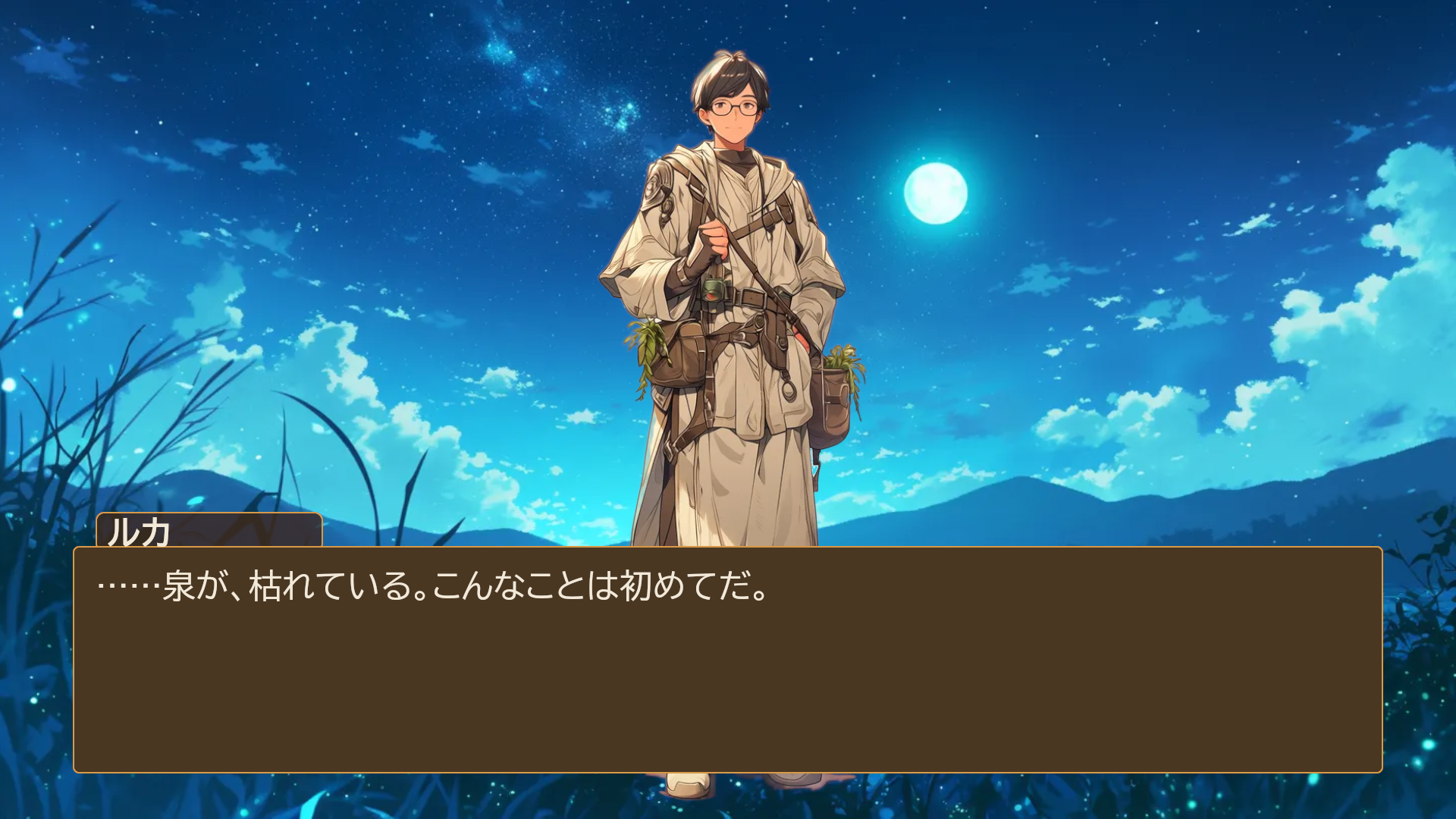
A 2D visual novel running in Unreal Engine 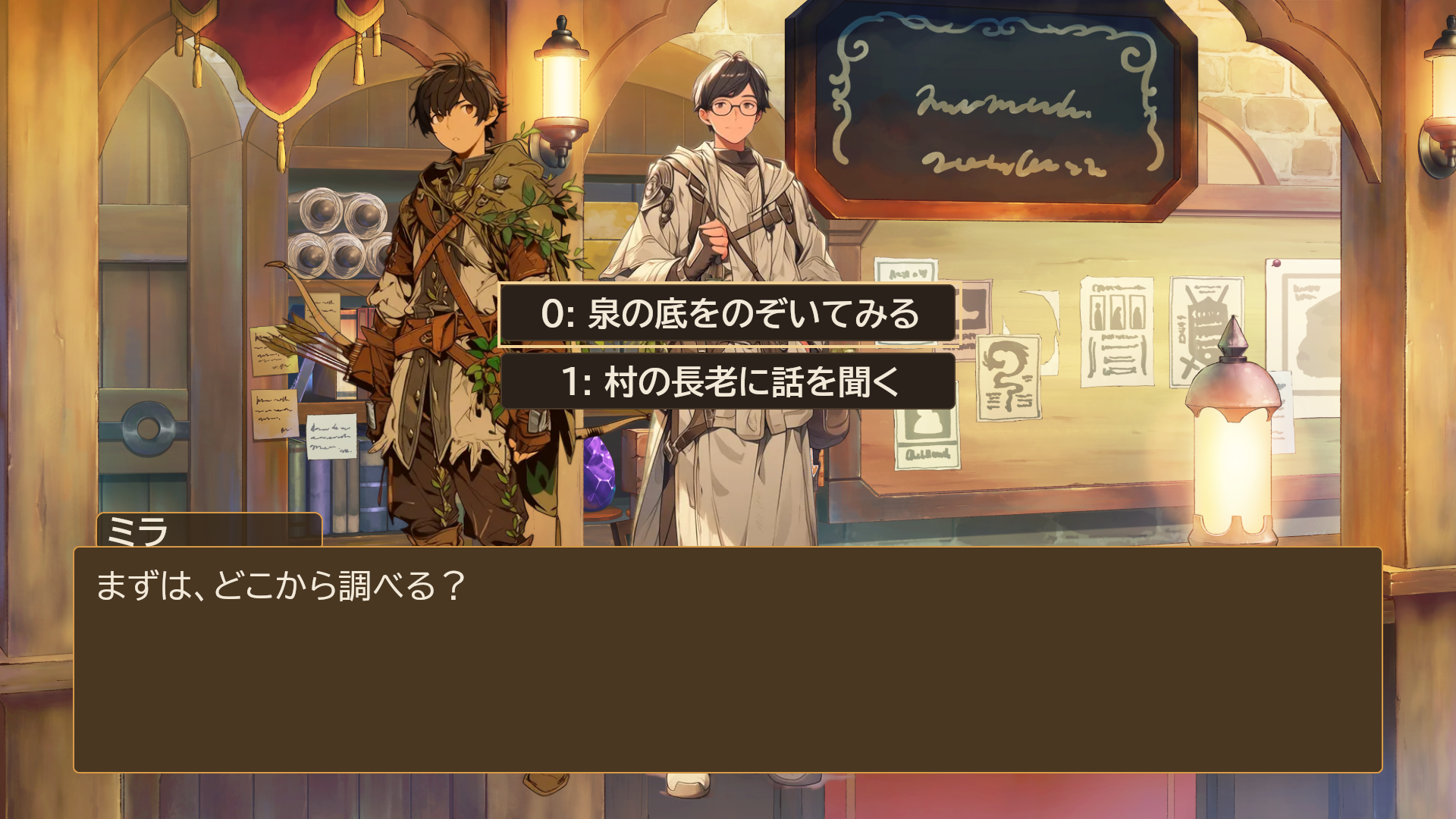
Choices and branches 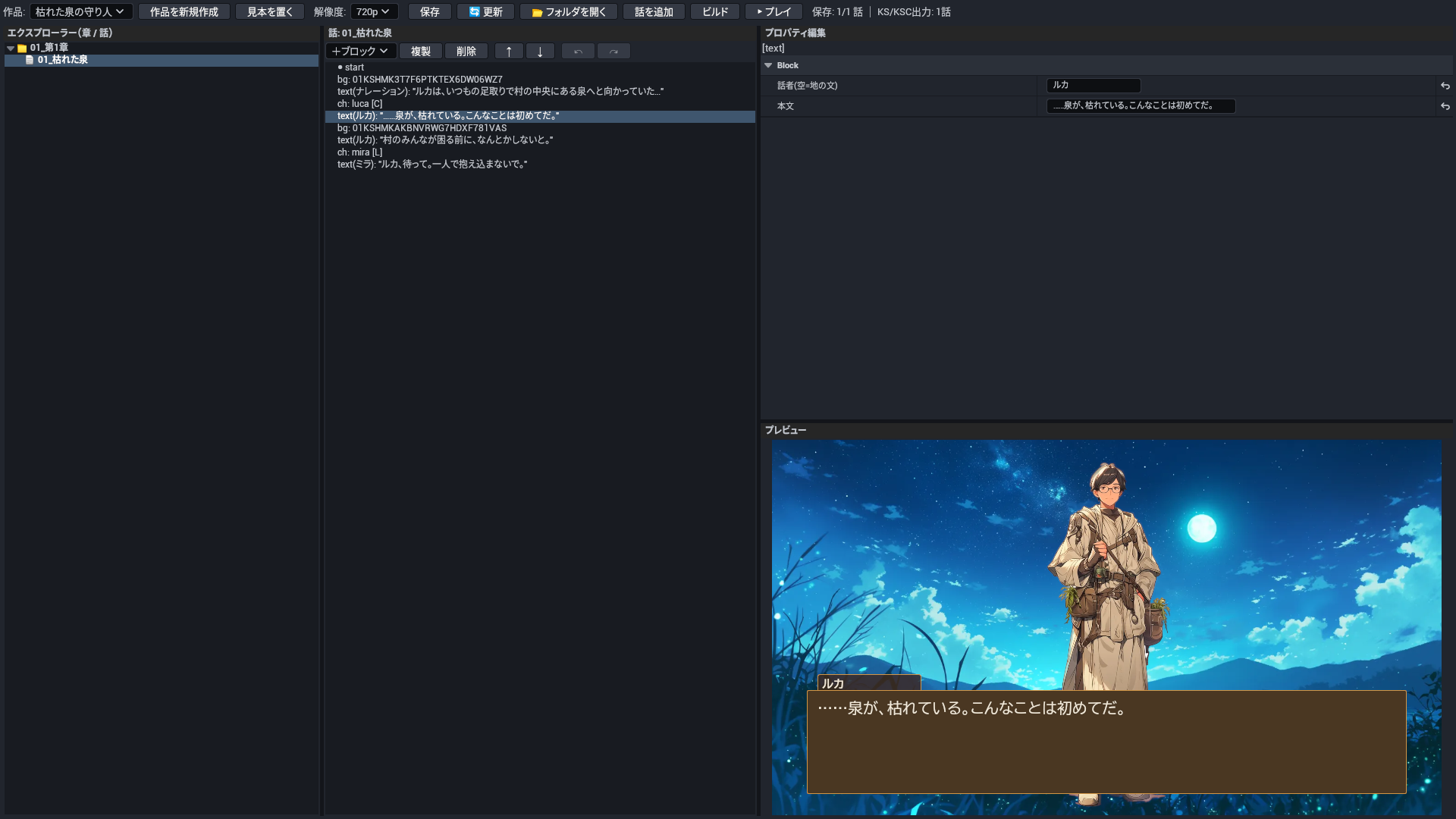
Novel editor: chapters, episodes, blocks, fields and live preview 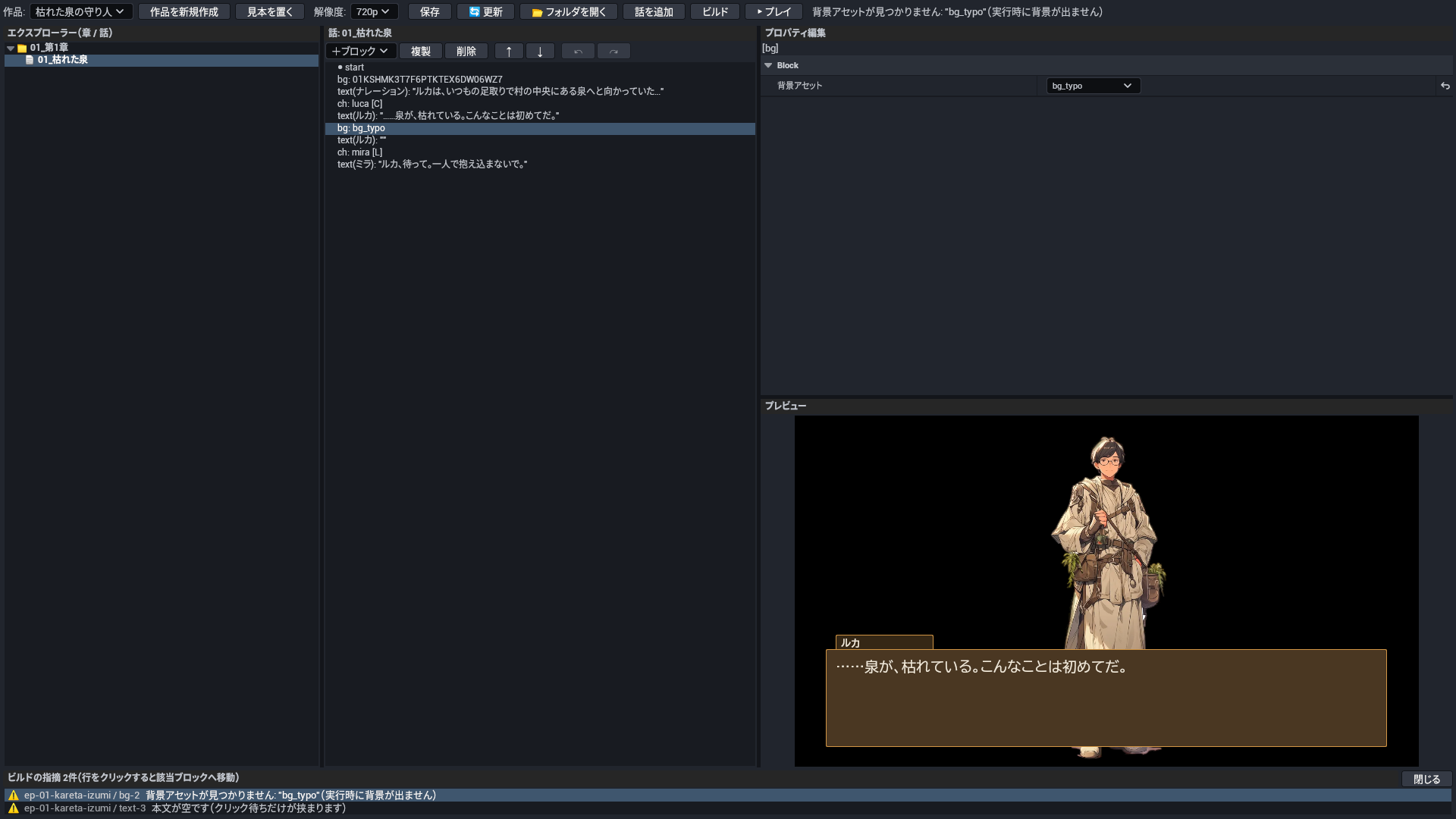
Build checks — click to jump to the block 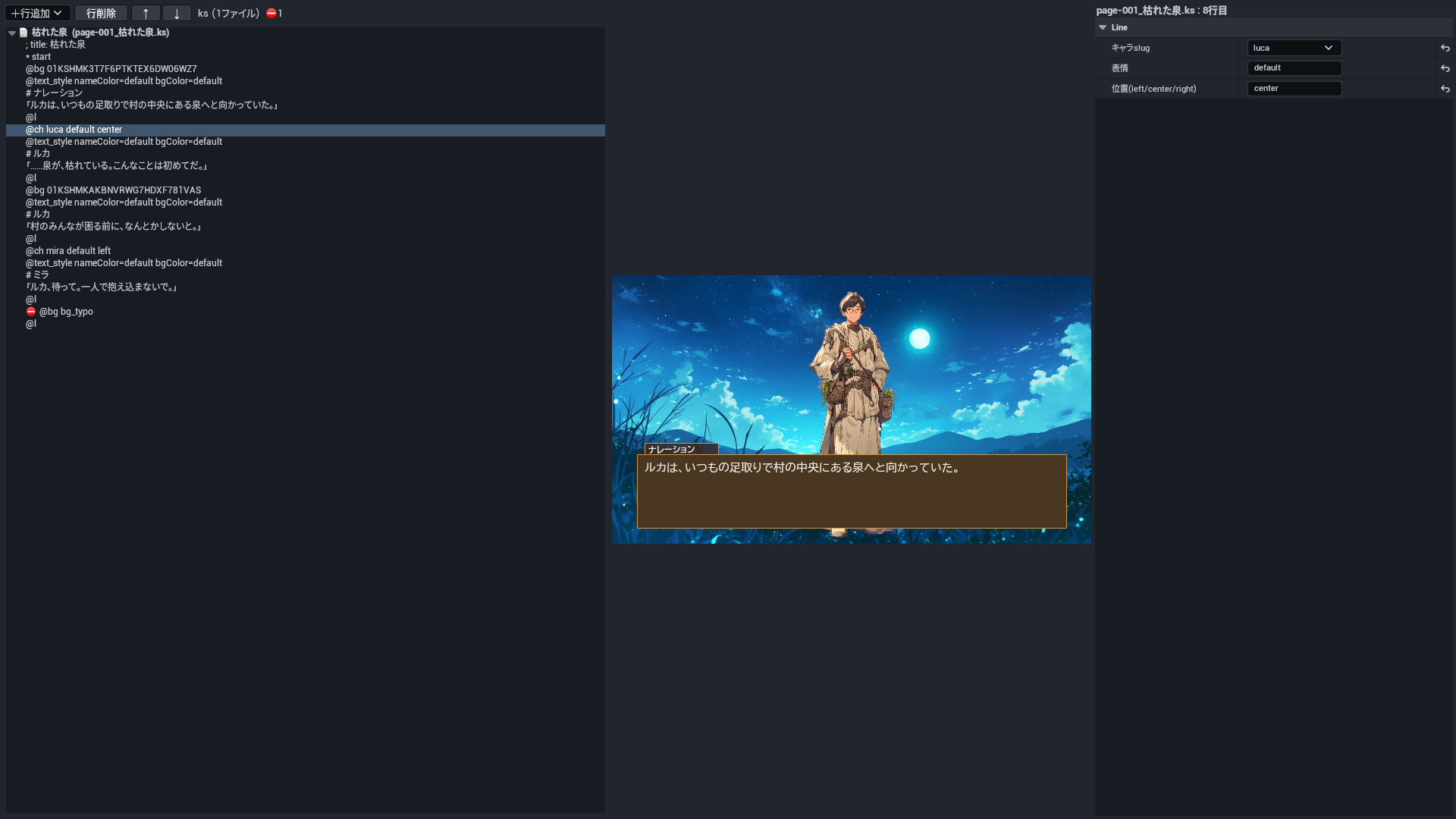
KS script editor: script tree, fields, preview and line checks 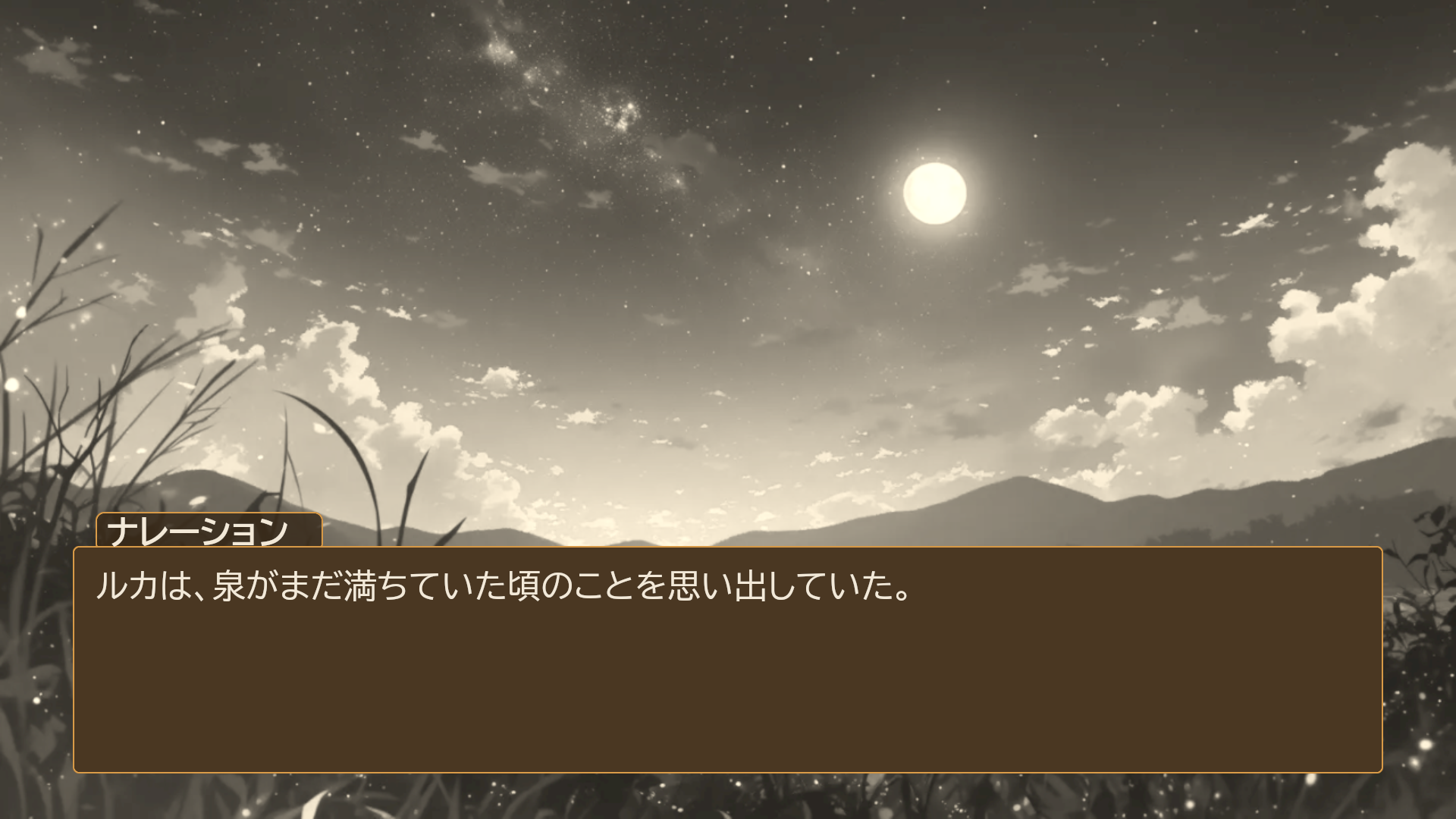
Screen filters and effects 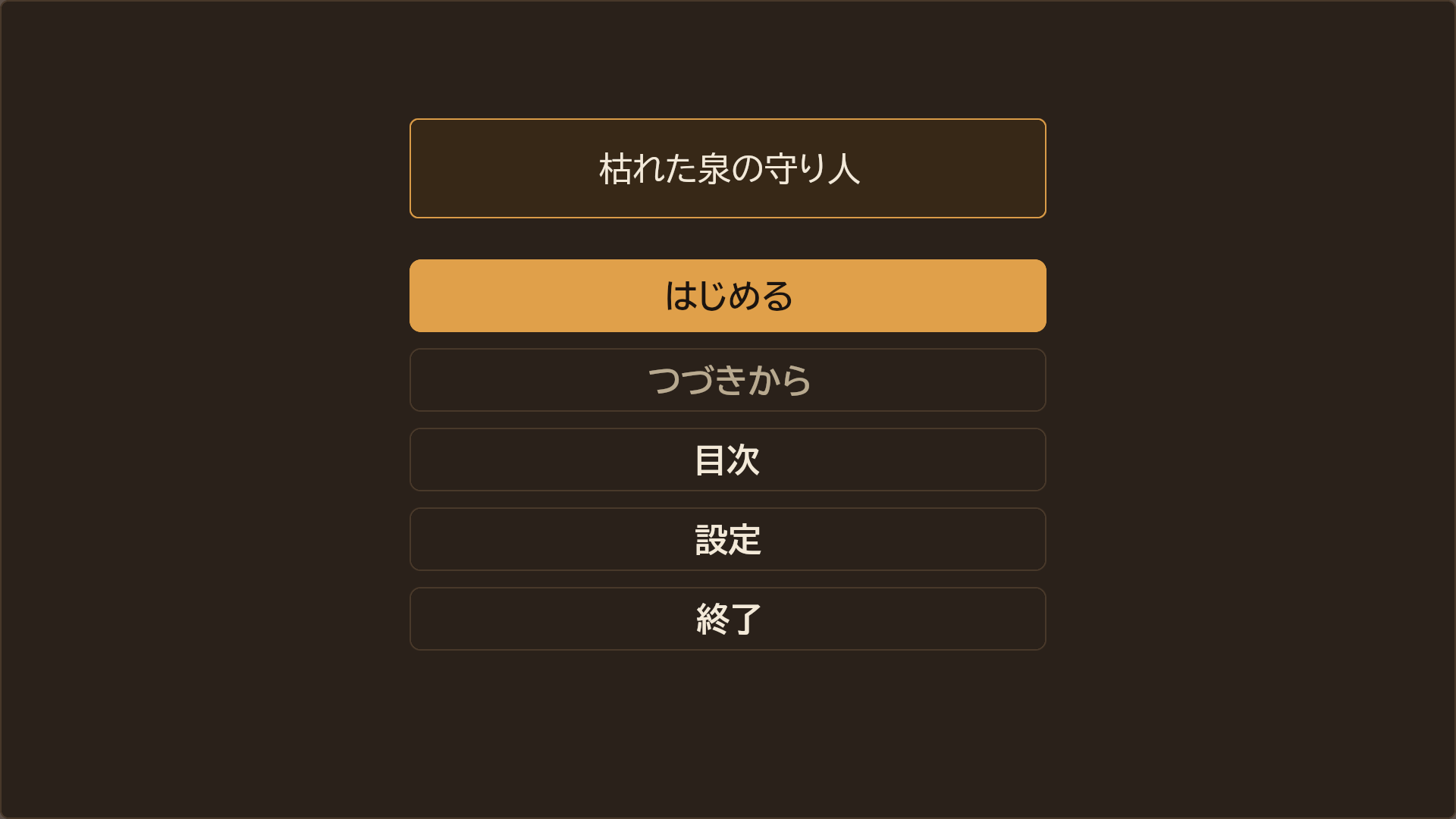
Title screen 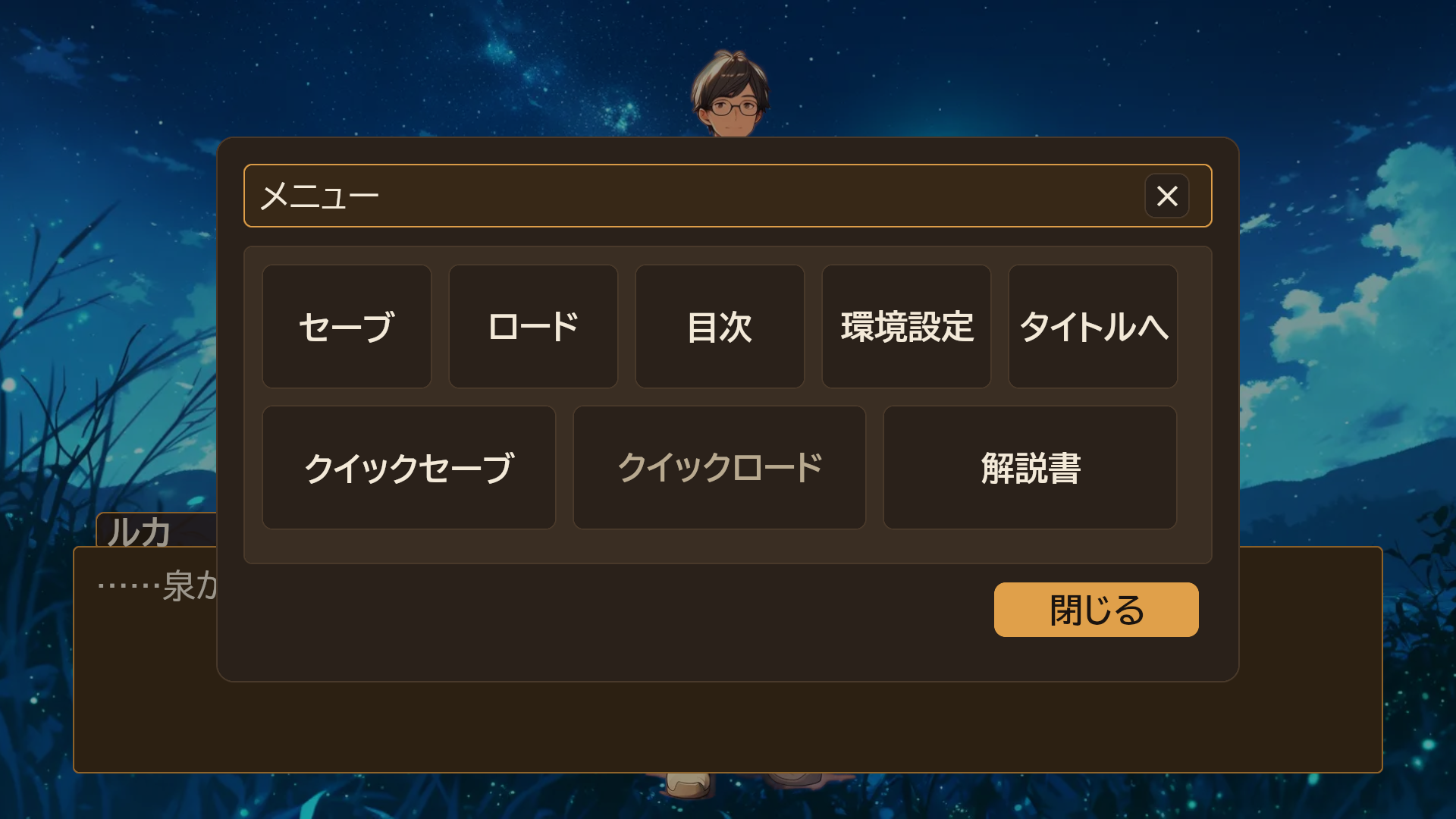
Menu 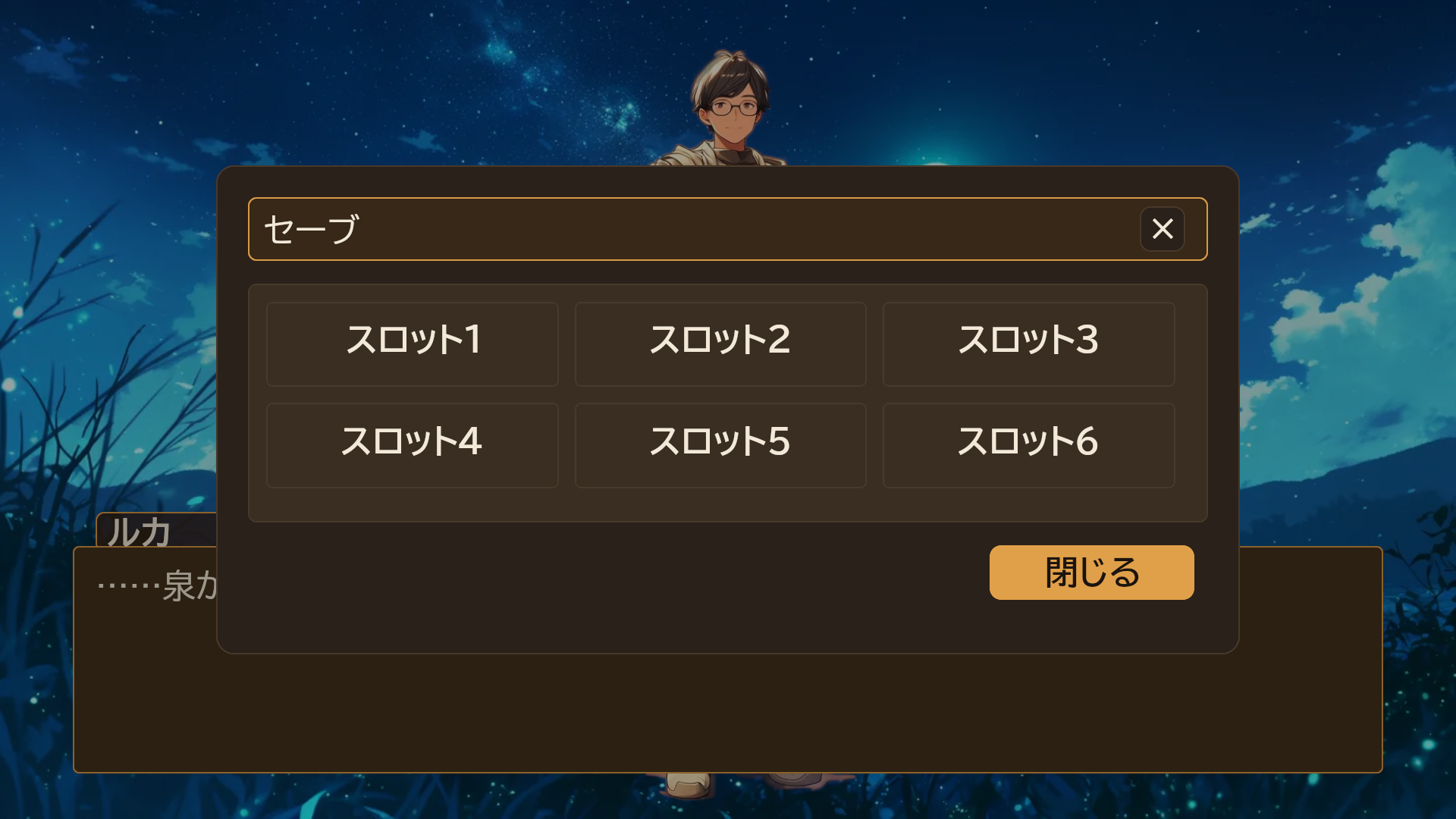
Save screen (six slots) 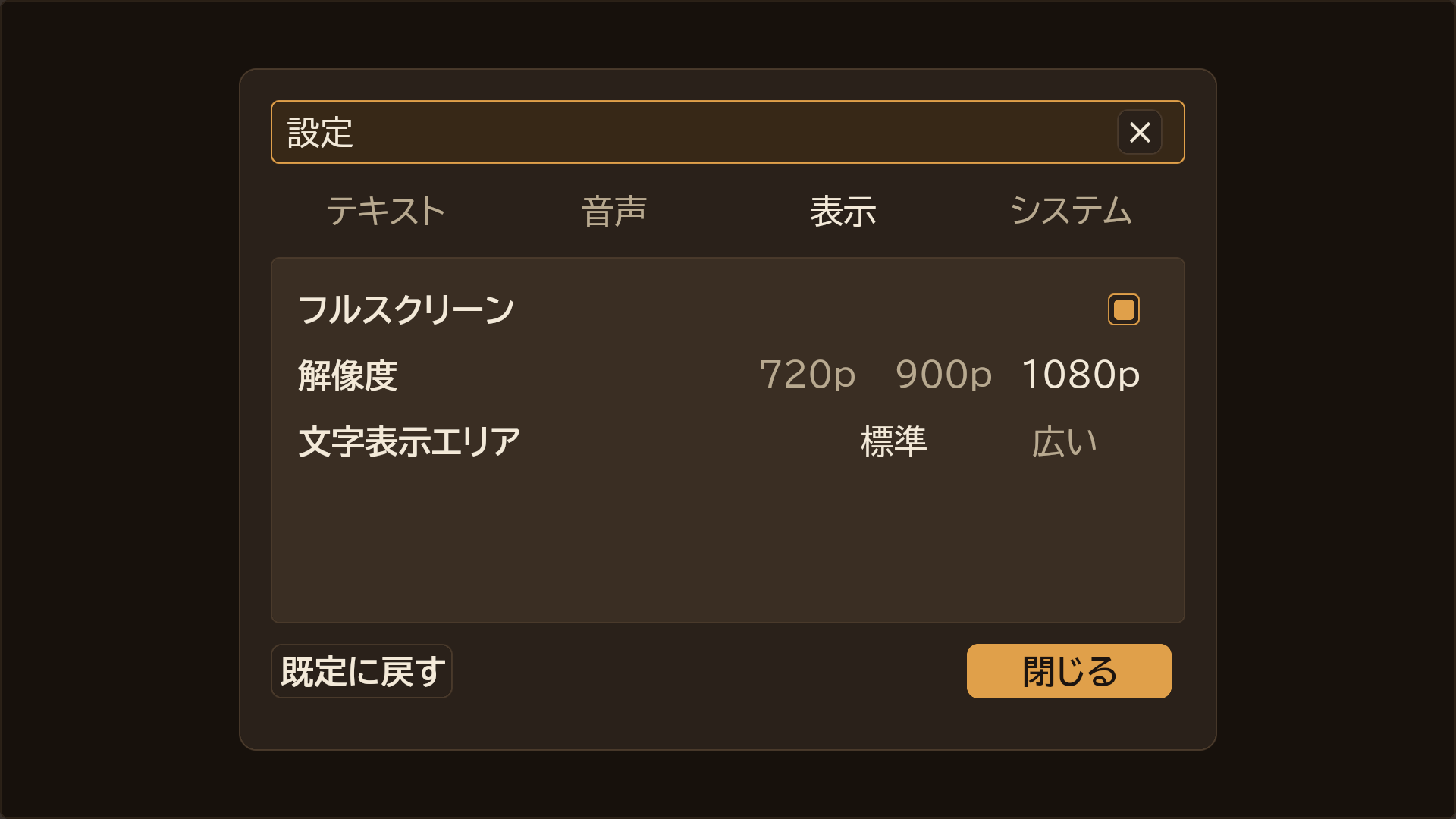
Config screen
技術の情報Technical details
| Item | Value |
|---|---|
| Features | Novel editor with blocks, live preview and undo; KS script editor; 15 build checks that jump to the block; 39 KS commands running in UE; KSC scripts; bundled compiler; save / load, auto, skip; seven MomijiUI game screens; minimal game framework for packaged games |
| Code modules | KaedeVnCore, KaedeKsc, KaedeVnUI, KaedeVnHost: Runtime; KaedeShaders: Runtime (PostConfigInit); KaedeVnEditor: Editor. Depends on the free plugin MomijiUI, a separate Fab listing, which the .uplugin enables automatically |
| Number of Blueprints | 0 |
| Number of C++ classes | About 130 |
| Network replicated | No |
| Supported development platforms | Windows |
| Supported target build platforms | Windows |
| Supported engine version | 5.8 |
| Example project | Sample work included in the plugin at Resources/Samples; the novel editor's "Place the sample" button copies it into your project |
| Important / additional notes | Editor UI is currently Japanese; an English guide and reference are provided. Create the project as C++; packaging needs the latest Visual Studio 2022 (17.14) or Visual Studio 2026. Third-party: nlohmann/json, MIT, through MomijiUI; MomijiUI, MIT; the bundled executables embed the Node.js runtime, MIT and others. Fonts come from MomijiUI under SIL OFL 1.1. Sample images CC0 1.0. See CREDITS.md |
すべての版All versions
- 0.2.0 最新(0.2.0)latest (0.2.0)2026-10-21